- 2 000+
- values / s Throughput
- ~172M
- rows / day Equivalent volume
- over 90 %
- disk saving Compression after two days
- 24 mo
- default Retention period, adjustable
Does DataPortia work with our automation system?
DataPortia connects to any system that has an OPC UA server. The client stack is the OPC Foundation .NET Standard implementation and it supports the Data Access services as well as the Alarms & Conditions part (Part 9). In practice this covers systems from Siemens, ABB, Valmet, Beckhoff, Schneider Electric, Honeywell and Rockwell. What matters is not the manufacturer but the interface.
DataPortia uses the OPC UA protocol for communication and no other protocols. If the system has only OPC Classic (DA/HDA) or a bare fieldbus interface, an OPC UA server or a wrapper is needed in between. It is worth checking with the automation supplier whether an OPC UA server is already installed or licensed.
Connection requirements and parallel servers
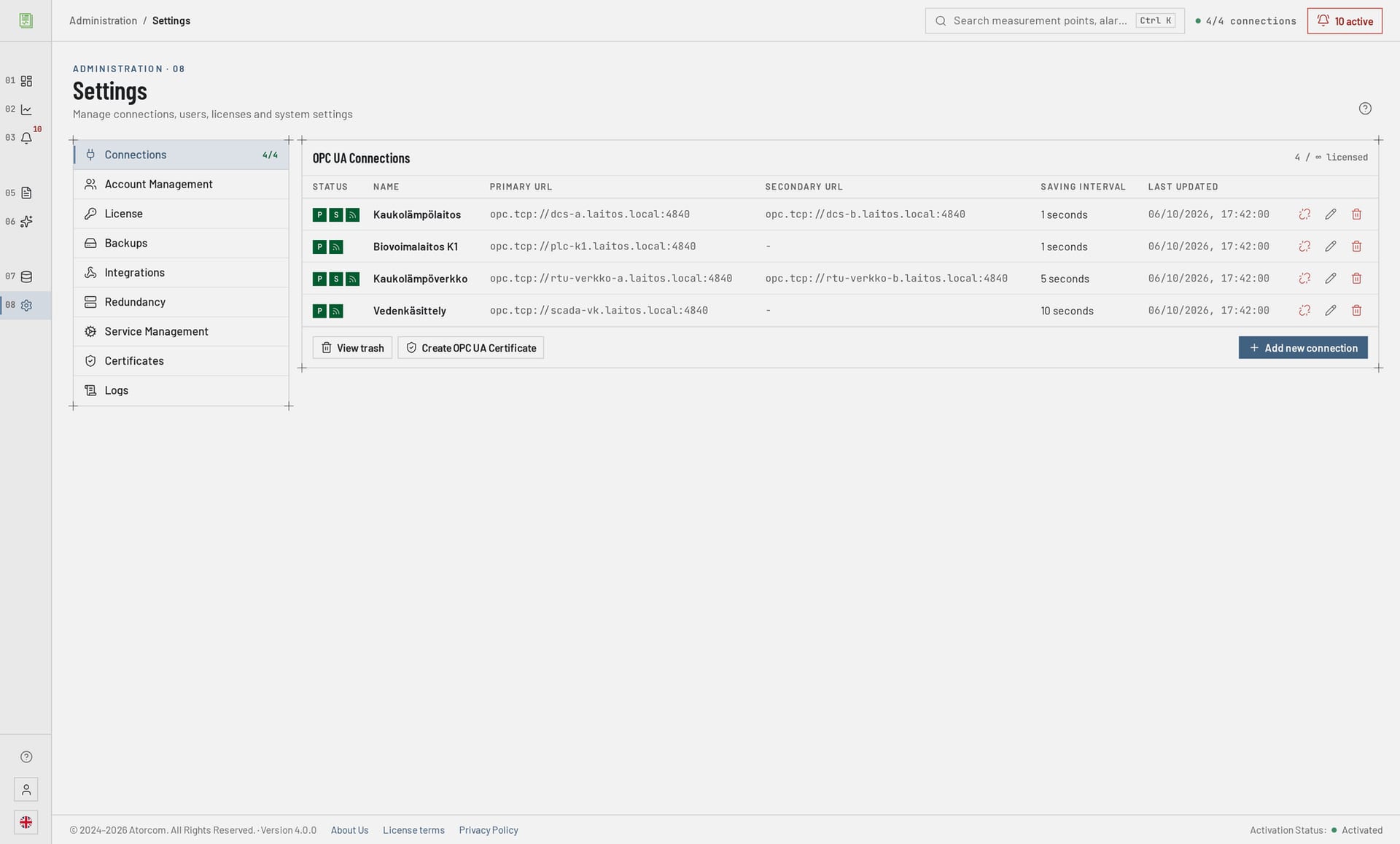
A single DataPortia installation keeps several parallel connections open at the same time, within the limits the licence tier allows. A typical plant is not a one-server plant: the boiler control room, the substation and a separate metering centre can each be an OPC UA server of its own. Every connection is defined separately, and each has its own set of measurement points and its own settings.
| Protocol | OPC UA, the OPC Foundation .NET Standard stack |
|---|---|
| Services | Data Access and Alarms & Conditions (Part 9) |
| Connections | Several in parallel; the licence tier determines how many connections are allowed |
| Backup server | A redundant server pair per connection |
| Direction | DataPortia reads from the server; the automation logic is not touched |
| Manufacturers | Siemens, ABB, Valmet, Beckhoff, Schneider Electric, Honeywell, Rockwell — and others that are OPC UA compatible |
Do changes have to be made to the automation system?
No. DataPortia joins the system as a client that opens a connection to the existing OPC UA server and subscribes to values from it. The logic program, the control room displays and the existing databases are not touched. What is needed is a network connection to the server, read rights to the measurement points you want and an open port in the firewall — nothing more. The process does not have to be shut down, and no automation supplier is needed in between.
Where DataPortia is installed
DataPortia is installed on a server of its own in the plant network — the application is ASP.NET Core 10.0 and runs its own Kestrel — and the connection details and the measurement points to be collected are defined in the user interface. The server can be Windows 10/11, Windows Server 2016 or later, or Linux (Debian, Ubuntu).
How are measurement points selected and how often are values stored?
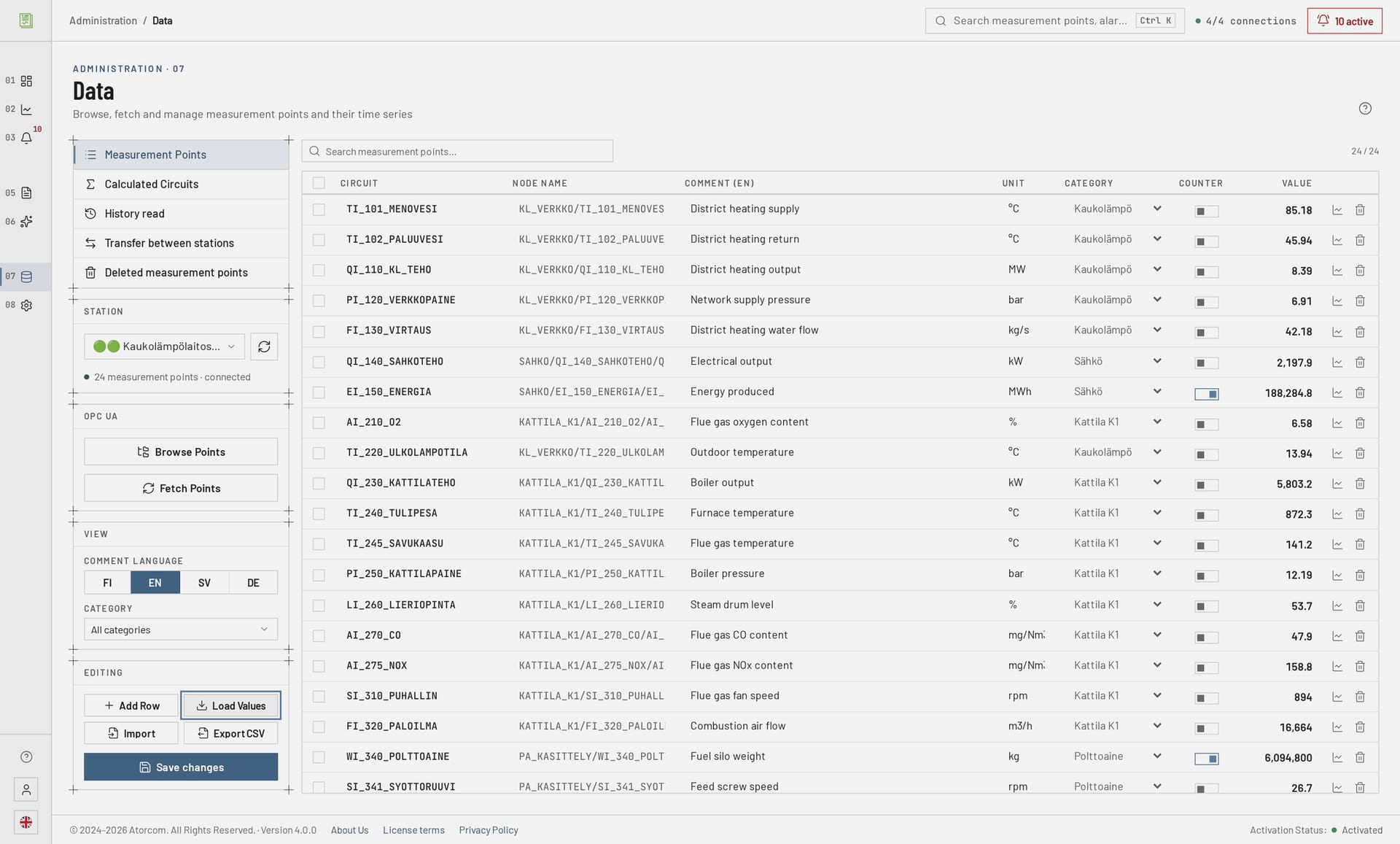
Measurement points are added and maintained in the DataPortia user interface: every point has its own loop, node name, unit and category. The storage interval is set per connection (1 s, for example), so the points on one connection are stored at the same rate. Acquisition is based on an OPC UA subscription: the server reports the value itself when it changes.
What the subscription and the storage interval affect
- Subscription
- Points are not polled round by round; the server sends a changed value on the basis of the subscription. Slowly changing points therefore produce no needless traffic.
- Storage interval
- Set per connection (1 s, for example). The interval decides how many rows a connection produces in a day, and therefore directly affects how much disk space is needed.
How much data can DataPortia handle?
Throughput is over 2 000 values per second, which corresponds to roughly 172 million rows a day. Storage goes into PostgreSQL 18 and the TimescaleDB extension, which is built for time-series data. In practice the limit rarely comes from the protocol — it comes from the disk and from how densely the values are stored and how long they are retained.
Throughput and server requirements as a table
| Throughput | 2 000+ values per second |
|---|---|
| Accumulation | 172 million rows per day |
| Database | PostgreSQL 18 + TimescaleDB |
| Server application | ASP.NET Core 10.0, its own Kestrel |
| Memory | At least 8 GB, 16–32 GB recommended |
| Disk | At least 100 GB SSD |
| Operating system | Windows 10/11, Windows Server 2016+, Linux (Debian, Ubuntu) |
These are capacity figures, not promises. What they say is that the volume collected is usually not the first thing you run into. If the planned acquisition is of the same order or larger, the sizing is worth going through case by case: the number of points, the storage intervals and the retention period together decide how much disk space is needed.
How long is the data kept and how much disk space does it take?
Measurement data is compressed automatically after two days, and the compression saves over 90 per cent of the disk space. The most recent two days stay uncompressed. The retention period is adjustable; the default is 24 months, after which the oldest data is deleted. How much disk space is needed follows from the number of points, the storage interval and the retention period together, and it grows markedly more slowly after the first two days.
Choosing the retention period and sizing the disk
The retention period can be set shorter or longer according to what reporting and any regulatory requirements call for. A dense storage interval on a hundred points takes more disk than a sparse interval on a thousand — the sizing is worth doing from the point list, not from the number of points alone.
Can old history be imported into DataPortia?
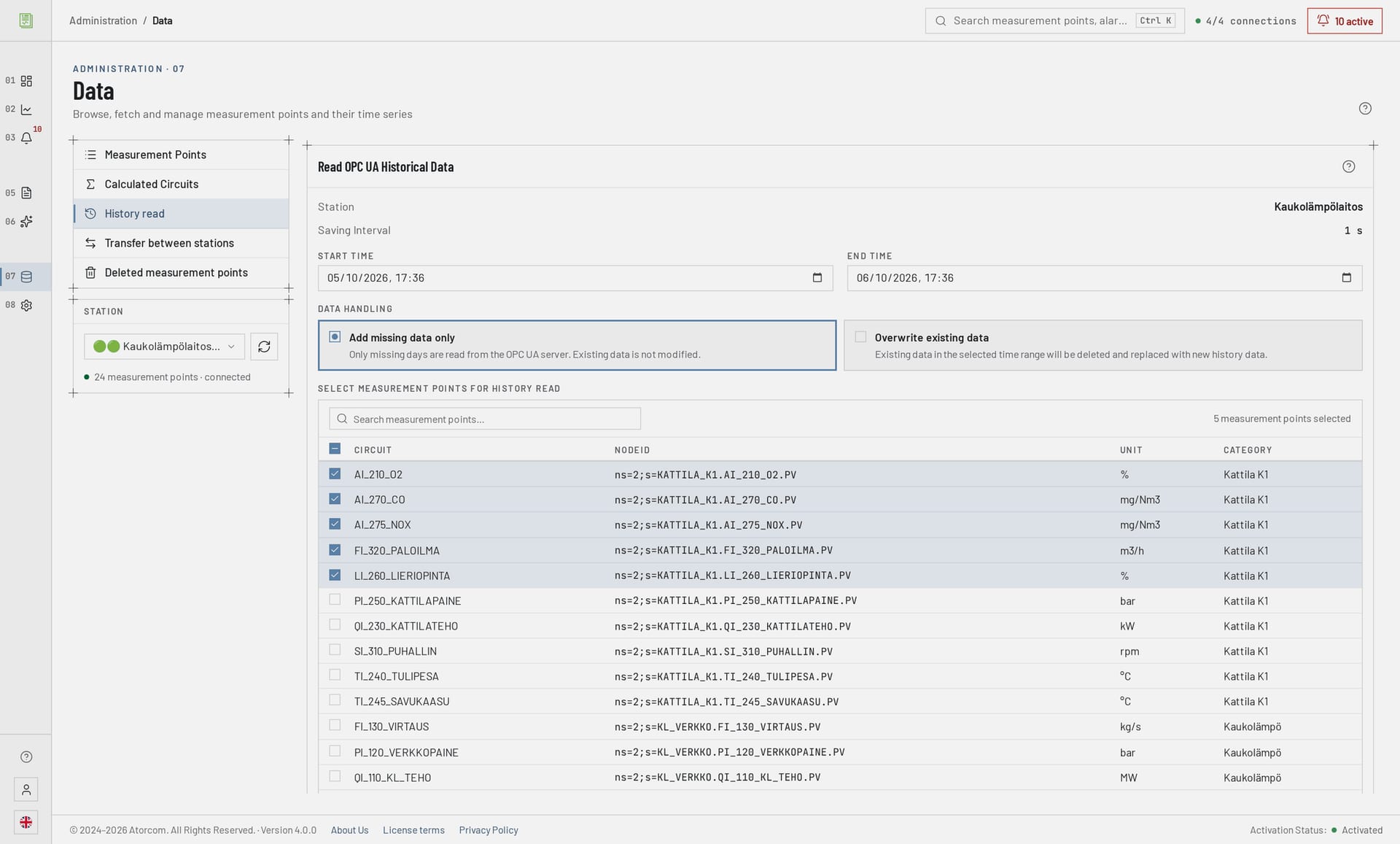
It can, if the automation system's OPC UA server has a history archive. DataPortia reads the history over the same connection and stores it in the same time-series database as the real-time acquisition. The import is gap-based: it reads only those periods that are not yet in the database, so an interrupted import can be continued without duplicates.
The limit is in the server, not in DataPortia: only what the history archive has kept can be imported. If the server holds 30 days of history, there is nowhere to fetch anything older from.
What gap-based import allows in practice
The same import can be run again without harm, a gap left by a connection break can be filled in afterwards, and earlier history can be fetched for a new measurement point at the point when it is added to the acquisition.
How do you get values the automation does not provide directly?
With calculation points. They are formula-based derived measurement points calculated from the collected values — energy (kWh) from instantaneous power (kW), for example. The calculation follows the time range of the report, so the same point gives the correct total in a daily report and in a monthly report alike. The formula is written once, and no new measurements have to be added on the automation side.
When a calculation point replaces a change to the automation
When consumption, efficiency or specific consumption is missing from a report, it is done in DataPortia as a calculation point rather than by adding a new counter to the logic. A calculation point behaves like any measurement point: it appears in trends, on dashboards and in reports.
What happens when the connection to the OPC UA server is lost?
A redundant server pair can be defined for every connection. If the primary server does not respond, DataPortia moves to the backup server and acquisition continues. Values missing for the duration of the break can be filled in afterwards with a history import, if the server's history archive covers the period. The other connections carry on collecting regardless of the break, so a fault in one automation server does not stop the whole acquisition.
Making DataPortia's own installation redundant
Making DataPortia's own installation redundant is a different matter from a redundant server pair: it uses PostgreSQL physical streaming replication — the failover is automated by DataPortia's own DPFC controller, or on Linux by pg_auto_failover or Patroni — together with an application-level active–passive pair. Details: high availability.
Frequently asked questions about OPC UA data acquisition
Below are the questions that come up most often before the first connection: cloud connectivity, the number of servers, adding measurement points later and the supported operating systems. If your own question is not on the list, we are happy to answer it.
Is a cloud or internet connection needed?
No. DataPortia is on-premises software: it is installed in the plant's own network and the data stays there. The user interface is a Vue 3 browser application opened from inside the network. The same goes for AI analysis, which is run on a local Ollama language model.
How many OPC UA servers can be connected to one installation?
Several connections in parallel, each with its own measurement points and its own redundant server pair. The number of simultaneous connections is a matter of the licence tier: the licence determines how many connections are allowed, and the price scales with the number of OPC UA connections. Only after that does the technical limit come from the server hardware and the total number of points collected. See DataPortia licensing.
Can measurement points be added after deployment?
Yes. Measurement points are managed in the user interface, so the acquisition does not have to be built complete in one go. Earlier history can be fetched for a new point as well, if the automation server's history archive has stored it.
How is the collected data accessed from other systems?
Through the REST interface: v1, read only, an API key and 120 requests per minute per key. The interface and the webhooks are described on the integrations page.
Does DataPortia collect alarms as well?
Yes, over the same OPC UA connection. Alarms and events are read with the Alarms & Conditions services, and the automation server's original timestamp is kept untruncated to millisecond precision. See alarms and events.
Which operating systems does the acquisition server run on?
Windows 10/11, Windows Server 2016 and later, and Linux (Debian, Ubuntu). The minimum requirement is 8 GB of memory and a 100 GB SSD; for continuous acquisition 16–32 GB of memory is recommended.
120requests / minThrough the REST interface: v1, read only, an API key
Where is it best to start trying out a connection?
With one OPC UA server and ten measurement points. That tells you within the same day whether the connection opens, whether the points you want are there and whether the values reach the database. Only after that is it worth thinking about the whole point list, the storage intervals and the retention period. The trial runs for 30 days, every feature except the HA add-on is available, and it commits you to nothing.
See also the DataPortia overview and dashboards and trends.