Local AI analysis
DataPortia™'s AI module runs a language model on the same server as data acquisition and the database. Process data does not move to the cloud or to a third-party service: no API key for an outside provider, no charges per query, no internet connection during the analysis.
- 4
- models Qwen, Gemma, DeepSeek, Llama
- 8 GB
- RAM Minimum requirement from the server
- 499 €
- add-on Price of the AI module
- 30
- days Trial with no commitment
What does local AI analysis mean in practice?
The AI module runs an open language model with Ollama on the same server on which DataPortia is installed. The model reads the measurement values directly from DataPortia's own PostgreSQL database, carries out the analysis and writes the answer to the browser. No query, measurement value or answer travels outside the server. The available models are Qwen, Gemma, DeepSeek and Llama.
In detail: choosing the model, and operation on a closed network
The model is selected and installed by the setup wizard during commissioning. After that the analysis also works on a closed network where the server has no internet connection. The language model is not an outside service but a process on the same machine as OPC UA data acquisition and the database.
Does process data leave the network when the AI analyses it?
No. The language model is installed on the plant's own server and run there. The data used in the analysis does not move to the cloud or to a third-party service, so it does not end up in the training material of an outside model. The server can be entirely disconnected from the internet and AI analysis still works. This is the starting point of the implementation, not a setting that can be switched off by accident.
What does the AI do with process data?
The module finds the anomalies in the measurement data and classifies them by severity, forecasts the continuation of a measured trend, looks for cost optimisation targets in consumption and writes a structured analysis report of the findings. A free-form question about the data can also be asked in natural language. Every analysis is based on measured data held in the database, not on an estimate or on general knowledge.
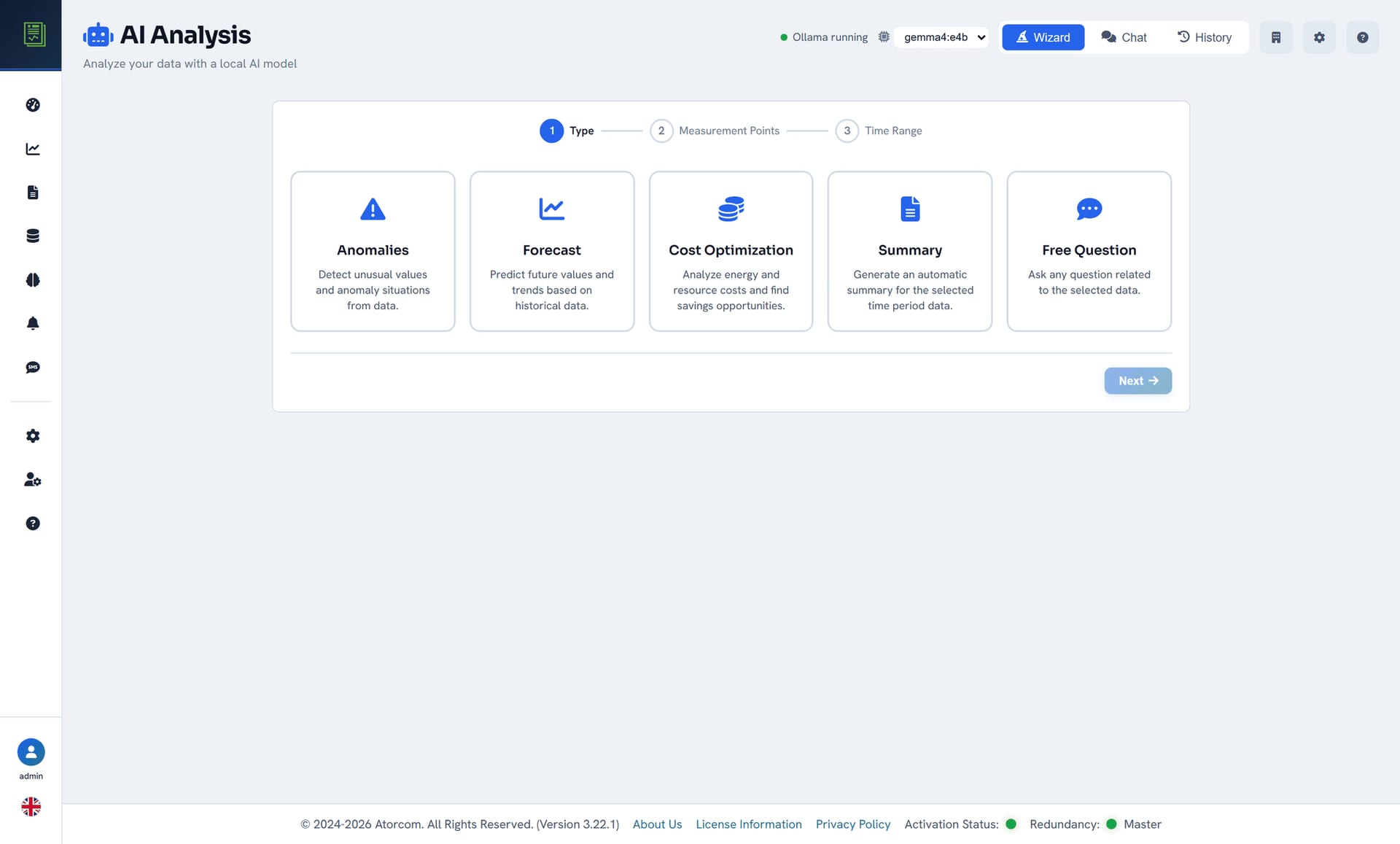
Four analysis types and what each one produces
Anomaly detection
A statistical search through the history of a measurement point, with findings timestamped.
Forecast
A forecast of how the trend continues, calculated from measured history.
Cost optimisation
Comparison of consumption and operating practices between periods.
Analysis report
Findings as a structured summary, each one tied to a measurement point and a time range.
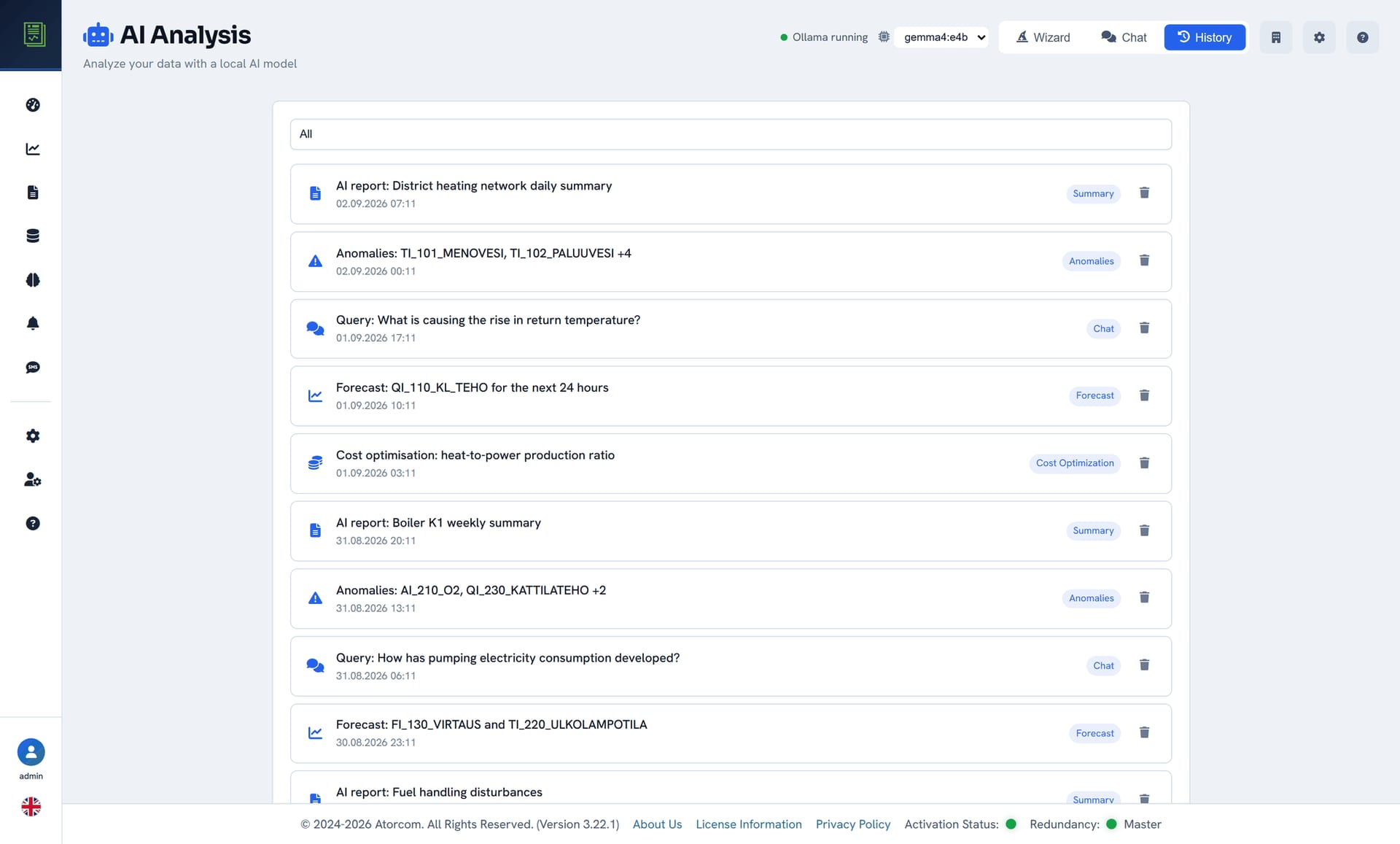
How does anomaly detection work?
The anomaly search is statistical: the module goes through the measurement point's own history over the selected time range and highlights the values that differ from the usual level of that period. Findings are returned with timestamps and severity classes, and the language model writes a summary of them in words. The result is a list of things to check, not a finished diagnosis of a fault.
In detail: what starting an analysis selects — and what an anomaly does not mean
The analysis is started from a guided view. There you select the type of analysis — anomalies, forecast, cost optimisation, summary or a free-form question — as well as the measurement points and the time range. That same selection determines what data the model reads from the database, so every finding can be traced back to a measurement point and a time range.
An anomaly is not a fault. It is a statistical finding that is worth checking in the trend view and against the alarm history before conclusions are drawn from it.
Can process data be queried in your own words?
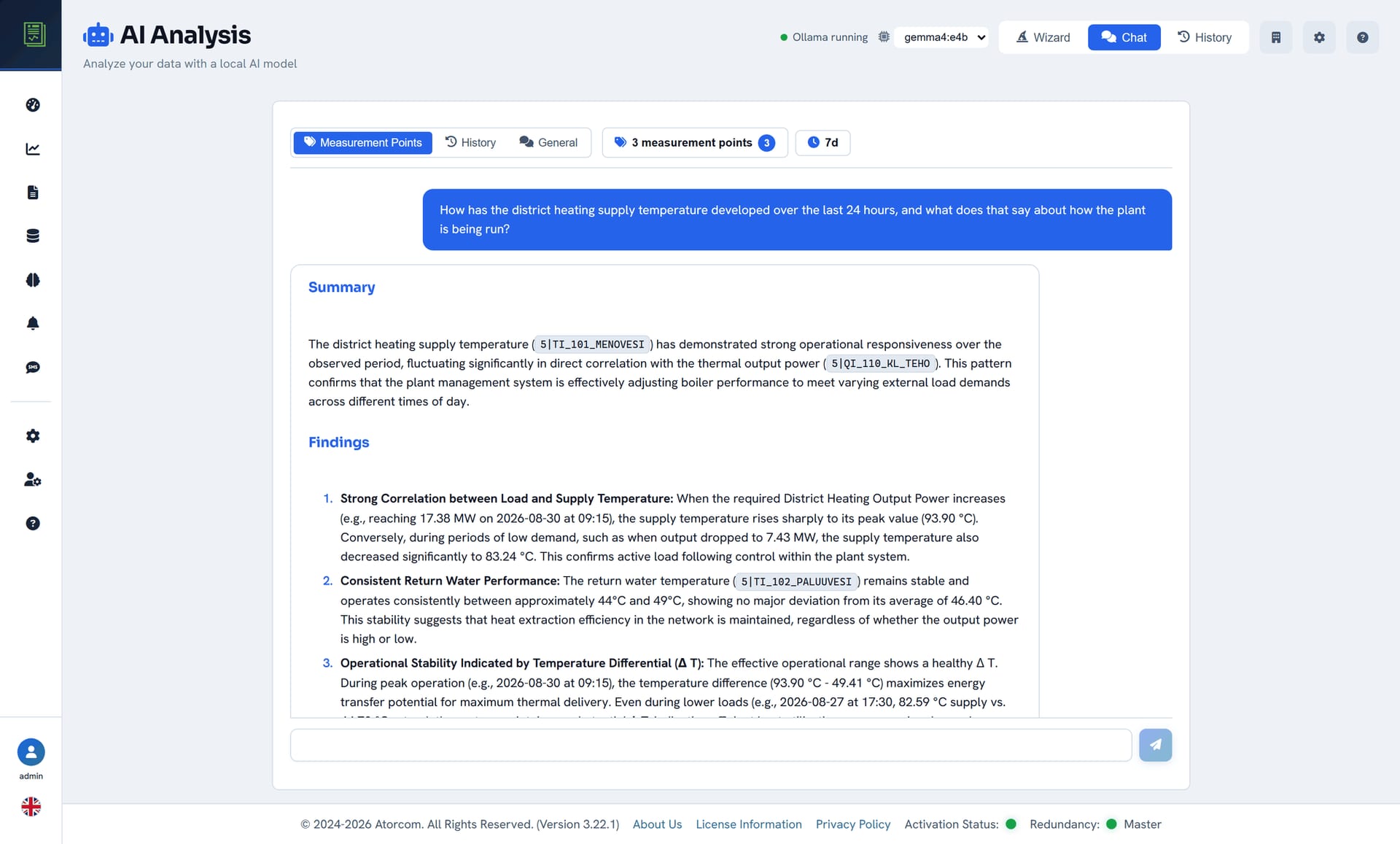
Yes. In the chat view you write the question in ordinary language, for example how the boiler's consumption developed last week. The module retrieves the measurement points related to the question from DataPortia's own database and answers on the basis of them, so the answer is tied to measured data and not to general knowledge. The conversation continues in the same view, so a follow-up question can be put briefly.
In detail: interface languages and scheduled reports
The user interface is available in Finnish, English, Swedish and German. The actual scheduled reports are still made on the reporting side, which produces PDF, CSV and Excel files on a daily, weekly and monthly schedule.
What does running a local model require of the server?
A language model takes memory, and that is the biggest difference from an ordinary DataPortia installation. The minimum requirement is 8 GB RAM and 100 GB SSD, the recommendation 16–32 GB — when the AI module is in use it is worth choosing the upper end of the recommendation. The minimum requirements include no separate graphics card. Tell me the configuration of your server and I will assess which model suits it.
| Memory | Minimum 8 GB RAM, recommended 16–32 GB |
|---|---|
| Disk | 100 GB SSD |
| Operating system | Windows 10/11, Windows Server 2016+, Linux (Debian, Ubuntu) |
| Data source | DataPortia's own PostgreSQL 18 + TimescaleDB |
Where does a local model lose out to a cloud model?
A local model is smaller than the large cloud models, and that shows in the quality and the speed of the answers. An answer takes longer to complete, particularly without a graphics card. Reasoning over long and complicated questions is coarser. In return the data stays at the plant, queries incur no usage charges and the analysis does not stop when the internet connection drops.
A summary written by a language model is a starting point, not proof. Behind every finding there is a measurement point and a time range that can be checked against the raw data — do that before operating practice is changed on the basis of the analysis.
In detail: which requirement this page gives way on
If the requirement is the fastest possible answer to any question at all, a local model is not the right choice. If the requirement is that process data does not leave the plant, it is the only choice. During the trial period the difference can be seen with your own data on your own server, so the assessment need not rest on a promise.
What does the AI module cost?
The AI module is a 499 € add-on to a DataPortia licence, whose prices start at 4 000 € as a perpetual licence and scale with the number of OPC UA connections. Queries are not charged by use, because the model is run on your own server. The trial period is 30 days, all features apart from the HA add-on, with no commitment.
Pricing as a table: licence tiers and the basis of the price
| AI module | 499 € add-on |
|---|---|
| DataPortia licence | From 4 000 € perpetual licence |
| Licence tiers | 7 perpetual and 7 floating tiers |
| Basis of the price | Scales with the number of OPC UA connections |
| Per-query charges | None |
| Trial | 30 days, all features except the HA add-on |
Frequently asked questions about AI analysis
Short answers to the most common questions: the model is Qwen, Gemma, DeepSeek or Llama, the minimum requirement is 8 GB RAM without a separate graphics card, no internet connection is needed during the analysis, the history reaches back as far as the retention period and the module costs 499 €. Each question and its answer opens below.
Which language model does DataPortia use?
The model is run with Ollama, and the alternatives are Qwen, Gemma, DeepSeek and Llama. The model is selected during guided commissioning.
Does the server need an internet connection?
Not during the analysis. The model is installed on the server once, after which AI analysis also works on a network that has no connection to the outside.
Does AI analysis work without a separate graphics card?
The minimum requirements include no separate graphics card: the minimum is 8 GB RAM and 100 GB SSD, the recommendation 16–32 GB. Tell me the configuration of your server and I will assess which model suits it.
How far back does AI analysis use data?
The analysis reads DataPortia's own database, so it reaches as far back as the retention period is set — the default is 24 months and it is adjustable in the data acquisition settings.
Can the result of an analysis be exported?
Reports of measurement data are produced in the reporting section in PDF, CSV and Excel format, and they can be scheduled daily, weekly or monthly.
Is the AI module included in the base licence?
No. It is a separate 499 € add-on. During the trial period it is in use at no extra charge, so how it works can be assessed with your own data before buying.
A local model is best assessed with your own data: the 30-day trial includes the whole of DataPortia, the AI module included.